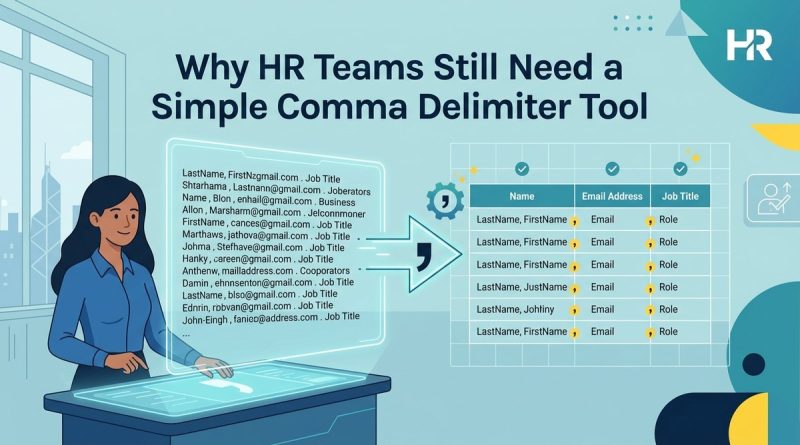
Why HR Teams Still Need a Simple Comma Delimiter Tool
You just exported 2,400 employee records from your payroll system. The file looks fine until you open it in Excel. Every name, department, and contact number is crammed into a single column. Your HRIS import fails. Your compliance report is due in three hours. This is not a technical problem. It’s a formatting problem, and it happens to HR teams across Hong Kong every single day.
A comma delimiter tool for HR helps teams reformat messy employee data exports, candidate lists, and CSV files by converting unstructured text into clean, separated columns. This process saves hours of manual editing, reduces import errors, and ensures compliance-ready reports. HR professionals can use these tools to prepare data for HRIS uploads, payroll systems, and audit documentation without technical training.
Why HR Data Gets Messy in the First Place
Most HR systems export data in CSV format. CSV stands for comma-separated values. The format relies on commas to separate each piece of information into its own column. When the export works properly, you get clean rows and columns. When it doesn’t, you get chaos.
Here’s what usually goes wrong. Your applicant tracking system uses semicolons instead of commas. Your payroll vendor exports data with tabs. Your HRIS uses pipes. Your spreadsheet software expects commas. None of these systems talk to each other properly. You end up with files that look correct in one program but break completely in another.
Regional settings make this worse. Excel in Hong Kong might expect semicolons because of how numbers are formatted locally. The same file that opens perfectly on your colleague’s computer in Singapore looks like gibberish on yours. This isn’t a bug. It’s how CSV files were designed, and it creates real problems for HR teams managing employee data across multiple systems.
What a Comma Delimiter Tool Actually Does
A comma delimiter tool converts text from one separation format to another. It takes data separated by semicolons, tabs, pipes, or spaces and converts it to comma-separated format. Or the reverse. The tool doesn’t change your data. It changes how that data is organized so different systems can read it.
Think of it as a translator between file formats. Your recruitment platform speaks semicolons. Your HRIS speaks commas. The delimiter tool makes them understand each other. This matters because manual reformatting takes hours and introduces human error. Automated reformatting takes seconds and processes thousands of rows consistently.
The best tools work in your browser. You paste your messy data, select your current delimiter, choose your target delimiter, and copy the cleaned result. No installation. No login. No data sent to a server. For HR teams handling personal employee information, this privacy feature is critical.
Five Common HR Tasks That Need Delimiter Cleanup
1. Candidate Export Lists
You export 300 candidates from your ATS to share with hiring managers. The file includes names, email addresses, phone numbers, and application dates. When you open it in Excel, everything appears in column A. The hiring manager can’t filter by date or sort by name. You need to split that single column into four separate columns before sharing the file.
2. Employee Contact Updates
Your office manager sends you an updated employee contact list. It’s formatted as a text file with tabs between each field. Your HRIS only accepts comma-separated imports. You need to convert those tabs to commas before uploading, or the system will reject the entire file.
3. Payroll Data Transfers
Your payroll provider sends monthly reports with employee IDs, salaries, and deductions separated by pipes. Your finance team needs this data in Excel format for budget reconciliation. Converting pipes to commas makes the data spreadsheet-ready in seconds instead of hours.
4. Compliance Reporting
The Labour Department requests a list of all employees with specific contract types. Your HRIS exports this data with semicolons. The government portal expects commas. You need to reformat the file before submission to avoid rejection and delays.
5. Training Attendance Records
You manage training records in a simple text file. Each line contains employee name, course name, completion date, and score, separated by tabs. When you need to analyze this data in a pivot table, you first need to convert it to proper CSV format.
How to Clean HR Data Using a Delimiter Tool
Here’s the step-by-step process HR teams use to clean messy data exports:
- Export your data from the source system and open it in a text editor to identify the current delimiter.
- Copy the entire dataset to your clipboard.
- Open a comma delimiter tool like Delimiter in your browser.
- Paste your data into the input field.
- Select your current delimiter type from the dropdown menu.
- Choose your target delimiter based on where you’re importing the data.
- Copy the cleaned output and paste it into your destination system or save it as a new CSV file.
This process works for files with dozens of rows or thousands. The tool processes everything instantly. You don’t need to understand regular expressions or write formulas. You just need to know what delimiter your source system uses and what delimiter your destination system expects.
Common Delimiter Types and When HR Teams Use Them
| Delimiter Type | Symbol | Common HR Use Case | Typical Source System |
|---|---|---|---|
| Comma | , | Standard CSV exports | Most HRIS platforms |
| Semicolon | ; | European regional exports | Localized Excel versions |
| Tab | \t | Plain text data dumps | Legacy payroll systems |
| Pipe | | | Database exports | Custom HR databases |
| Space | Simple contact lists | Manual data entry |
Understanding which delimiter your systems use prevents import errors. Most modern HRIS platforms use commas by default. Older systems often use tabs. European systems frequently use semicolons. Database administrators prefer pipes because they rarely appear in employee names or addresses.
Mistakes HR Teams Make With CSV Files
The most common mistake is assuming all CSV files use commas. The name suggests they should, but many systems export “CSV” files with completely different delimiters. Always check the raw file in a text editor before attempting to import it.
Another frequent error is opening CSV files directly in Excel. Excel tries to be helpful by automatically formatting data. It converts employee IDs that look like numbers into scientific notation. It reformats dates based on your regional settings. It strips leading zeros from codes. By the time you notice these changes, you’ve already saved over your original file. Always work with a copy, and consider using a delimiter tool before opening data in Excel.
“I spent three hours manually reformatting a termination report before I learned about delimiter tools. Now the same task takes 30 seconds. The tool has paid for itself a hundred times over in saved time and prevented errors.” – HR Manager, Financial Services, Central
Teams also forget that delimiters can appear inside data fields. If an employee’s address includes a comma, and your file uses commas as delimiters, the system gets confused about where one field ends and another begins. Proper CSV files wrap these fields in quotes, but not all export systems do this correctly. A good delimiter tool handles these edge cases automatically.
Why Browser-Based Tools Work Better for HR Data
Desktop software requires installation, updates, and IT approval. Browser-based delimiter tools work immediately on any device. You can use them on your work computer, your home laptop, or your tablet. No special permissions needed.
More importantly, browser-based tools can process data locally without uploading it to a server. This matters enormously when you’re handling employee personal information, salary data, or candidate details. Your data never leaves your computer. You get the convenience of an online tool with the privacy of offline processing.
This approach aligns with Hong Kong’s Personal Data Privacy Ordinance requirements. You’re not transferring personal data to a third-party processor. You’re using a tool that runs in your browser to reformat data that stays on your device. For HR teams managing sensitive information, this distinction is crucial.
Connecting Data Cleanup to Broader HR Challenges
Clean data formatting isn’t just about avoiding import errors. It’s about building efficient HR operations. When your team spends hours reformatting exports, that’s time not spent on strategic work. When imports fail because of delimiter mismatches, that’s time wasted troubleshooting technical issues instead of supporting employees.
This becomes especially important as HR teams adopt more specialized tools. You might use one system for recruitment, another for onboarding, a third for performance management, and a fourth for payroll. Each system has its own export format. Making these systems work together requires reliable data formatting. Teams struggling with recruiting challenges can’t afford to waste time on formatting issues when they should be focusing on candidate experience.
The same principle applies to compliance work. When you need to produce reports for statutory requirements, the last thing you need is a formatting problem delaying submission. Compliance with employment regulations requires accurate data delivered on time. Delimiter tools help ensure your reports meet technical requirements without manual reformatting.
Building Better Data Processes Around Simple Tools
The best HR teams don’t just use delimiter tools reactively when something breaks. They build these tools into their regular workflows. Every time you export data, you run it through a delimiter check before importing it elsewhere. This takes an extra 30 seconds but prevents hours of troubleshooting later.
Document which delimiters each of your systems uses. Create a simple reference guide for your team. When someone needs to export candidate data from your ATS and import it into your onboarding platform, they should know immediately that they need to convert semicolons to commas. This knowledge prevents errors and reduces the learning curve for new team members.
Consider standardizing on one delimiter type for all internal data transfers. If your team frequently shares employee lists via email or shared drives, agree to always use comma-separated format. This consistency eliminates confusion and ensures everyone can open and use the files without additional processing.
When to Use Delimiter Tools vs. Other Solutions
Delimiter tools solve formatting problems. They don’t solve data quality problems. If your employee records have duplicate entries, missing information, or incorrect values, a delimiter tool won’t fix that. You need data cleaning and validation processes for those issues.
Similarly, if you’re regularly transferring large datasets between systems, consider whether you need a more permanent integration solution. API connections or automated data syncs might be more efficient than manual exports and imports. Delimiter tools work perfectly for occasional transfers, ad-hoc reports, and one-time data migrations. For daily automated processes, look at integration platforms.
That said, even teams with sophisticated integrations benefit from having a reliable delimiter tool available. Systems change. Vendors update export formats. Emergency data requests come in unexpected formats. Having a tool you can trust for these situations prevents panic and keeps projects moving forward.
Practical Features That Make Delimiter Tools More Useful
The simplest delimiter tools just convert between formats. More useful tools add features that HR teams actually need. Look for tools that can:
- Handle files with thousands of rows without slowing down
- Preserve data exactly as entered without automatic formatting
- Show a preview of the converted data before you copy it
- Support custom delimiters beyond the standard options
- Process data without requiring uploads or account creation
- Work offline once the page loads
These features turn a basic converter into a reliable part of your HR toolkit. The difference between a tool you use once and forget and a tool you bookmark and use weekly often comes down to these practical details.
What Clean Data Enables for Your HR Team
When your data formatting is reliable, you can focus on what the data actually tells you. You can analyze turnover patterns instead of troubleshooting import errors. You can identify skills gaps instead of manually reformatting training records. You can prepare accurate compliance reports instead of fixing delimiter mismatches at the last minute.
Clean data also improves collaboration with other departments. When finance requests headcount data, you can provide it in a format they can immediately use. When operations needs a list of employees by location, you can export and share it without reformatting. These small efficiencies add up to better cross-functional relationships and faster decision-making.
Most importantly, reliable data formatting reduces stress. You stop worrying about whether your export will work. You stop second-guessing whether your import will fail. You develop confidence in your data processes, which frees mental energy for more strategic HR work.
Making Delimiter Tools Part of Your Standard Process
Start by identifying which data transfers your team handles most frequently. Candidate exports? Employee roster updates? Payroll submissions? Pick the one that causes the most formatting headaches and standardize the process using a delimiter tool.
Train your team on the tool. Show them how to identify delimiters in raw files. Walk through the conversion process. Let them practice with sample data. This training takes 15 minutes and prevents hours of future frustration.
Build the tool into your documentation. When you write procedures for exporting data from your ATS or preparing compliance reports, include the delimiter conversion step. Make it part of the expected process, not an emergency fix when something goes wrong.
Why Simple Tools Often Beat Complex Solutions
HR technology vendors love to sell comprehensive platforms that promise to solve every problem. Sometimes you need those platforms. Other times you just need a simple tool that does one thing reliably. Delimiter conversion falls into the second category.
A good delimiter tool doesn’t need AI. It doesn’t need machine learning. It doesn’t need a subscription. It just needs to accurately convert text from one format to another, quickly and privately. This simplicity is a feature, not a limitation. You don’t need to learn a complex interface or remember login credentials. You just need to bookmark the tool and use it when needed.
This philosophy applies to other HR tasks too. Not every problem requires an enterprise solution. Sometimes the best answer is a simple, focused tool that solves a specific pain point without adding complexity to your technology stack.
Getting Started With Better Data Formatting
You don’t need permission to start using delimiter tools. You don’t need budget approval. You don’t need IT support. You just need to recognize when you’re spending time on formatting problems that could be automated.
The next time you export employee data and it looks wrong when you open it, don’t spend an hour manually fixing it. Take 30 seconds to run it through a delimiter tool. Notice how much time you save. Notice how the converted data imports cleanly. Notice how this small change makes your work easier.
Then share that experience with your team. Show them the tool. Help them solve their own formatting problems. Build a culture where the team reaches for the right tool instead of defaulting to manual work. These small process improvements compound over time into significant efficiency gains.
Data Formatting as a Foundation for Better HR Work
Clean, properly formatted data isn’t glamorous. It doesn’t show up in HR conference presentations. It doesn’t win innovation awards. But it’s the foundation that makes everything else possible. When your data formatting is reliable, you can build better reports, make better decisions, and spend more time on work that actually matters.
Delimiter tools are part of that foundation. They’re simple, practical, and effective. They solve a real problem that HR teams face regularly. They save time, reduce errors, and eliminate frustration. That’s exactly what good tools should do.
Start using delimiter tools as part of your regular workflow. Build them into your processes. Train your team on them. You’ll spend less time fighting with file formats and more time doing the HR work you actually care about. That’s a trade worth making.